Host a Website on Amazon S3

Host a Website on Amazon S3
Project Link: View Project
Author: Muchamad Ghufron Vaqih
Email: vaqihghufron3172@gmail.com
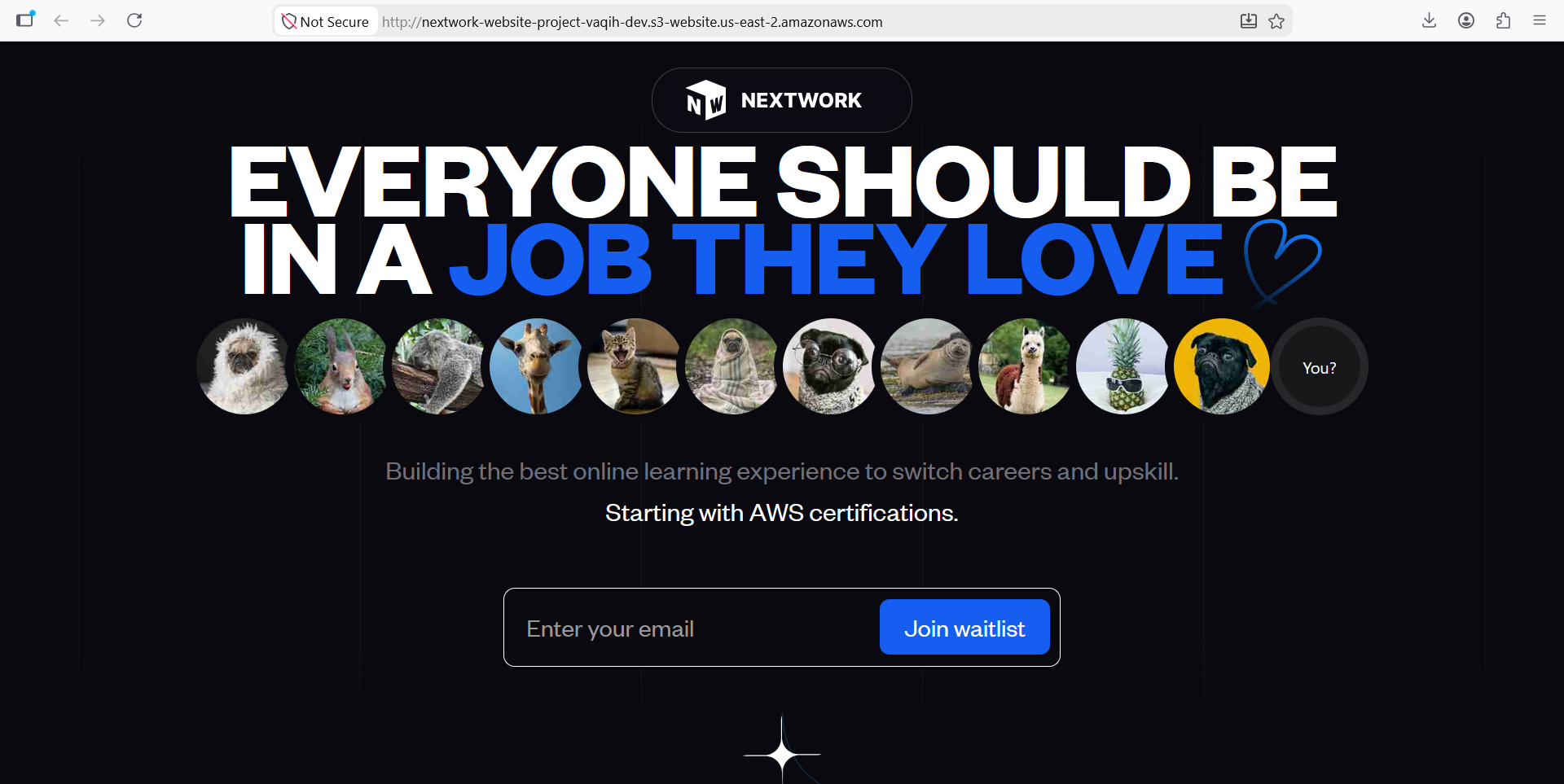
Introducing Today's Project!
Project overview
In this project, I design, deploy, and manage cloud infrastructure using AWS services while applying Linux administration, networking, security, and troubleshooting best practices. Through hands-on implementation, I gain practical experience in provisioning resources, configuring cloud environments, monitoring system performance, and resolving operational challenges. I document the entire process, including architecture decisions, implementation steps, encountered issues, and solutions. The objective is to strengthen my cloud engineering skills, develop a deeper understanding of infrastructure operations, and build a portfolio that demonstrates my ability to learn, adapt, and contribute to real-world cloud environments.
Tools and concepts
Services I used were... Key concepts I learnt include...Services I used were Amazon S3 and S3 Static Website Hosting. Key concepts I learnt include cloud storage, static website hosting, bucket creation, globally unique bucket naming, object management, access control through ACLs and bucket policies, public access configuration, website endpoints, and troubleshooting permission-related errors such as 403 Forbidden. Through this project, I gained practical experience in deploying a static website, managing AWS resources, and implementing security controls using Amazon S3.
Time, challenges, and wins
This project took me approximately... The most challenging part was... It was most rewarding to...This project took me approximately one hour to complete. The most challenging part was troubleshooting the 403 Forbidden error and understanding how bucket policies, ACLs, and public access settings work together in Amazon S3. It was most rewarding to successfully deploy the website and make it accessible through the S3 website endpoint, as it provided hands-on experience with cloud storage, website hosting, and access management in AWS.
How I Set Up an S3 Bucket
What I did in this step
In this step, I will create and configure an Amazon S3 bucket to host static website content. This involves preparing a secure and scalable storage environment for web assets while understanding how AWS S3 can be used as a hosting platform. By completing this configuration, I gain hands-on experience with cloud storage services, website hosting fundamentals, and AWS infrastructure management practices.
How long it took to create the bucket
Creating an S3 bucket took me only a few minutes. The process involved selecting the AWS Region, configuring access settings, defining a globally unique bucket name, and creating the storage resource. This hands-on activity helped me understand how Amazon S3 works and how cloud storage resources are provisioned and managed within AWS.
Region selection
The Region I picked for my S3 bucket was... becauseThe Region I picked for my S3 bucket was US East (Ohio) - us-east-2 because it was the default Region configured in my AWS environment. Using this Region allows me to create and manage S3 resources efficiently while gaining practical experience with static website hosting and cloud storage services.
Understanding bucket name uniqueness
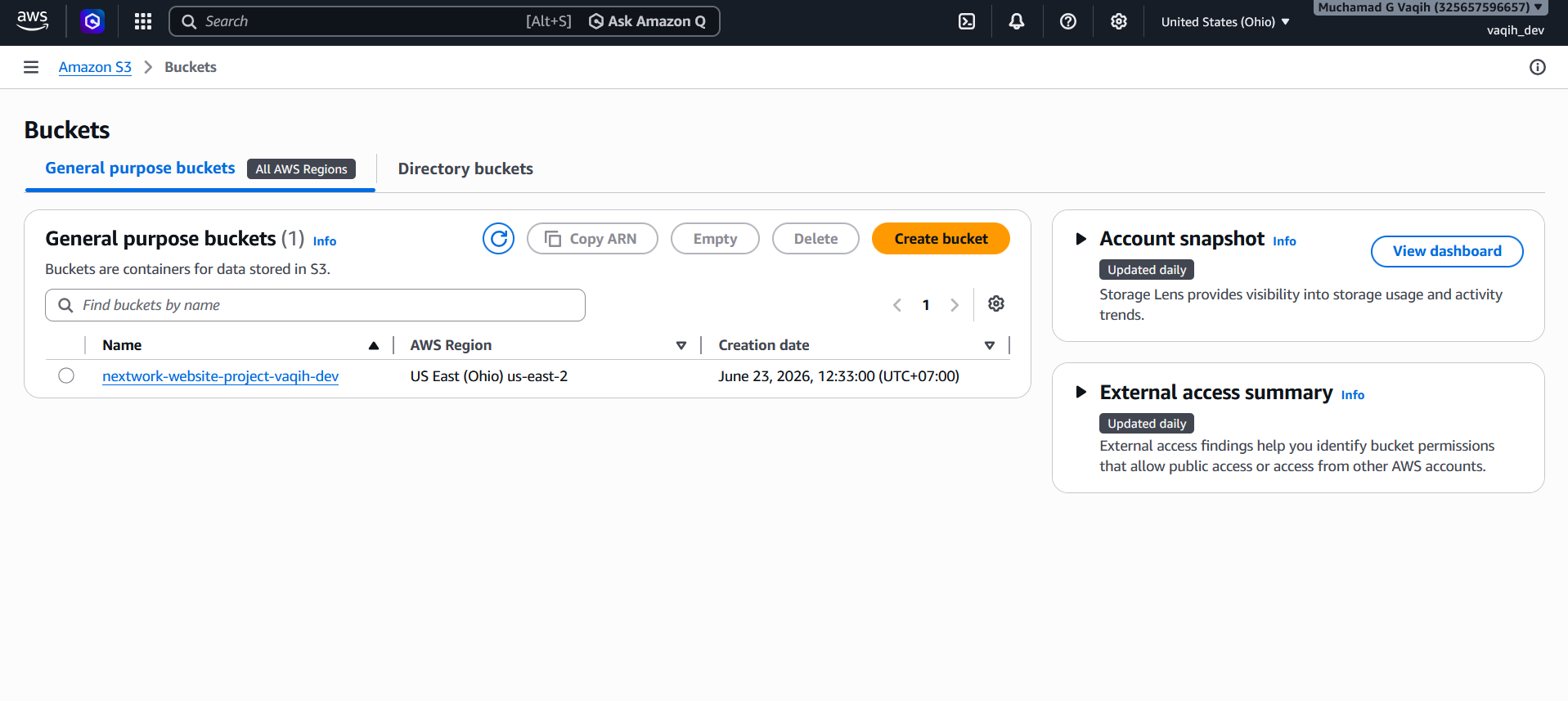
S3 bucket names are globally unique, meaning a bucket name can only be used once across all AWS accounts. I chose nextwork-website-project-vaqih-dev as a unique name for my project to avoid naming conflicts and ensure that the bucket could be accessed through its own dedicated S3 endpoint.
Upload Website Files to S3
What I did in this step
In this step, I will... because...In this step, I will download the website files and upload them to my Amazon S3 bucket because static website hosting requires content to be stored in the bucket before it can be displayed to users. By uploading the HTML file and image assets, I can make the website accessible through the S3 website endpoint and gain practical experience with cloud-based website deployment.
Files I uploaded
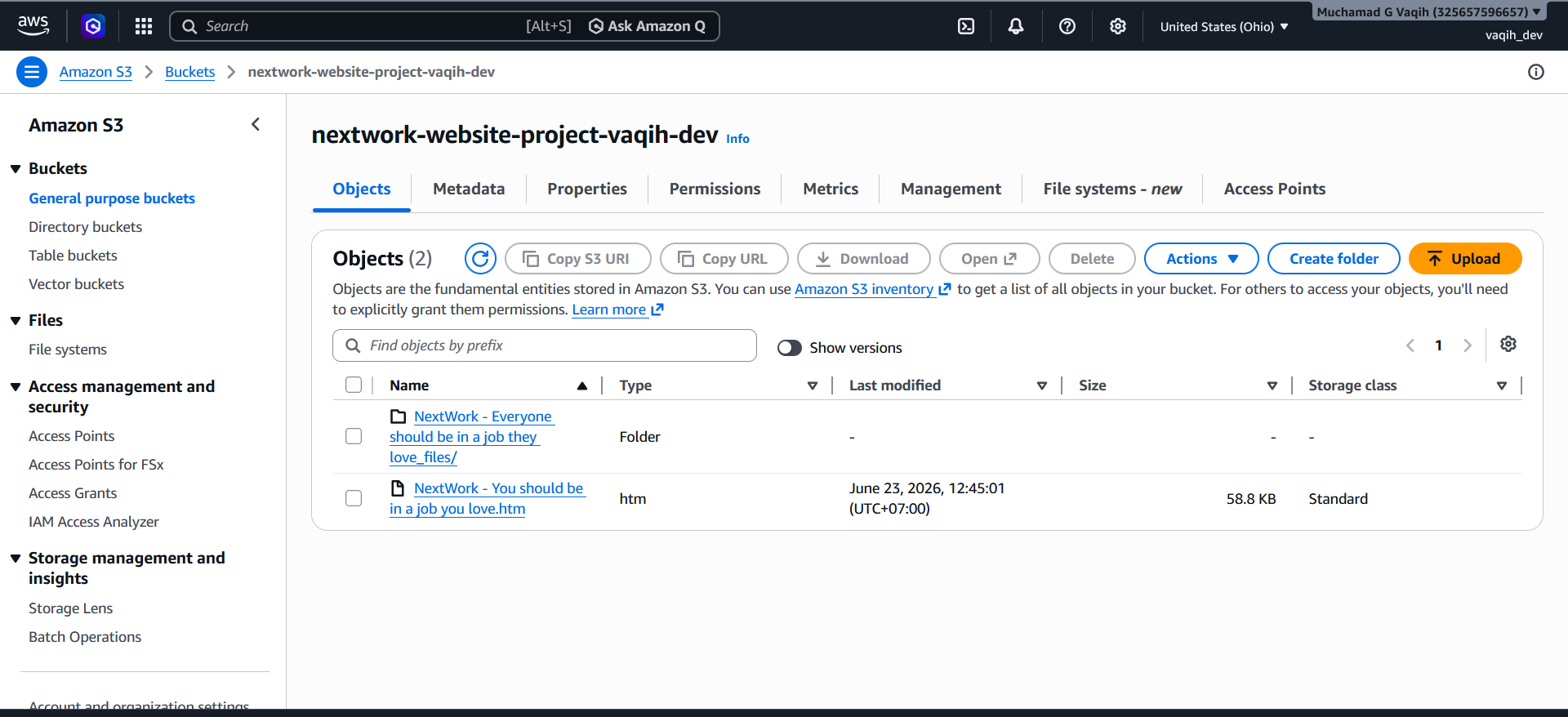
I uploaded two files to my S3 bucket. The first was an HTML file (index.htm) that contains the structure and content of the website. The second was a folder containing images and supporting assets required for the website design and functionality. Together, these files allow the static website to be displayed correctly through the Amazon S3 website endpoint.
How the files work together
Both files are necessary for this project as...The HTML file provides the website structure, while the image folder provides the visual content. Both are required for the website to function and display correctly.
Static Website Hosting on S3
What I did in this step
In this step, I will configure my Amazon S3 bucket to support static website hosting. This includes reviewing bucket settings, managing access permissions, and preparing the bucket to store and serve website files. By completing this configuration, I will gain hands-on experience with AWS storage services, access control mechanisms, and the fundamental concepts behind hosting a static website in the cloud.
Understanding website hosting
Website hosting means...Website hosting means storing website files on a server or cloud platform and making them accessible to users over the internet. In this project, Amazon S3 acts as the hosting platform for static website content such as HTML, CSS, JavaScript, and image files. By enabling static website hosting, users can access the website through a web browser using a dedicated endpoint provided by AWS.
How I enabled website hosting
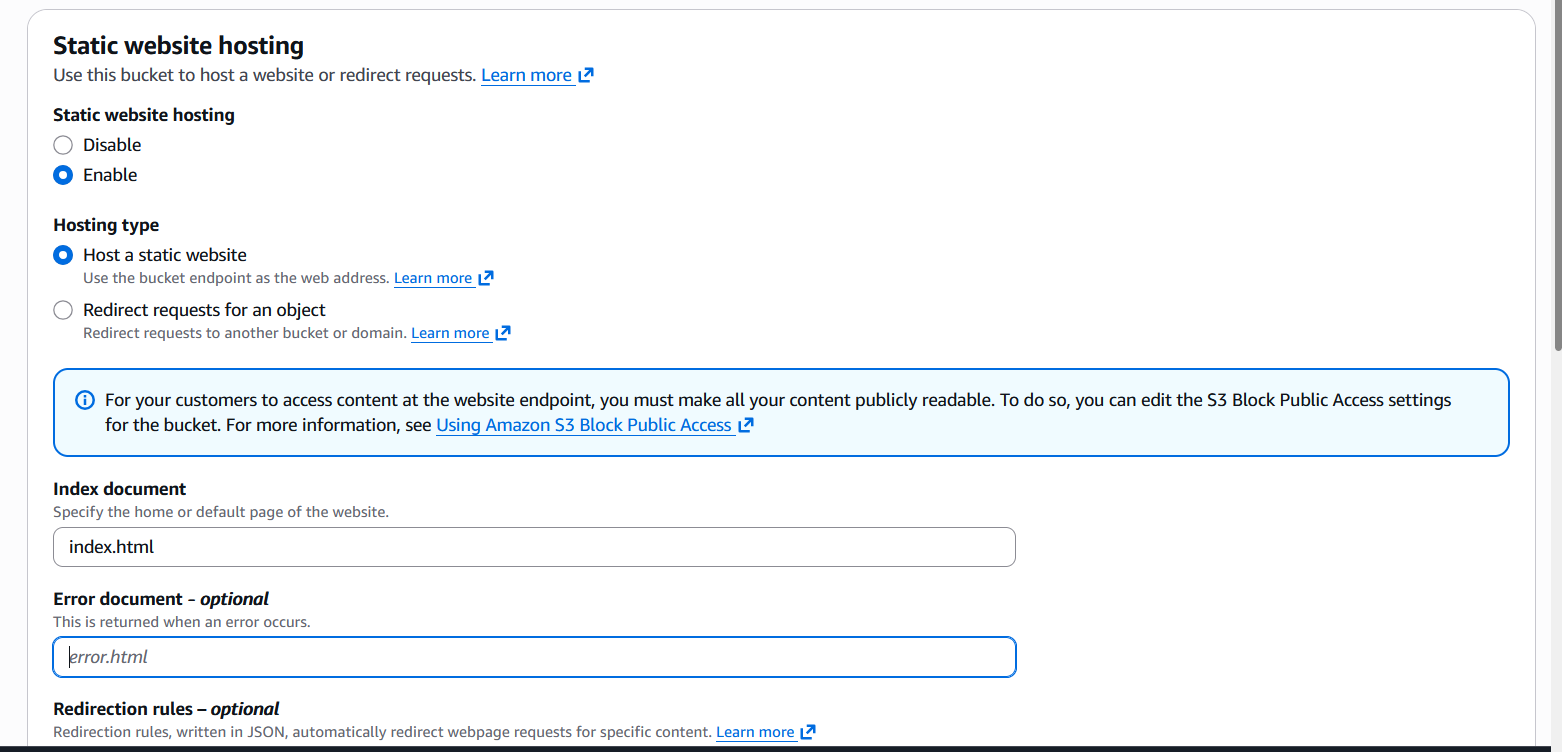
To enable website hosting with my S3 bucket, I...To enable website hosting with my S3 bucket, I navigated to the bucket properties and enabled the Static Website Hosting feature. I configured the hosting settings, specified the index document, and prepared the bucket to serve website content. This configuration allows Amazon S3 to provide a website endpoint that users can access through a web browser.
Access Control Lists (ACLs)
An Access Control List (ACL) is a permission management feature in Amazon S3 that controls access to buckets and objects. For this project, I enabled ACLs to support the static website hosting requirements and to allow public access configuration for website files. Understanding ACLs helped me learn how AWS manages object-level permissions and how access controls contribute to the security and availability of cloud-hosted resources.
Bucket Endpoints
Understanding bucket endpoint URLs
Once Static Website Hosting is enabled, Amazon S3 generates a bucket website endpoint URL that allows users to access the website through a web browser. This endpoint acts as the public web address for the hosted content and enables S3 to serve files such as HTML, CSS, JavaScript, and images directly from the bucket. It is the URL used to view and test the static website after deployment.
What I saw when I tested the endpoint
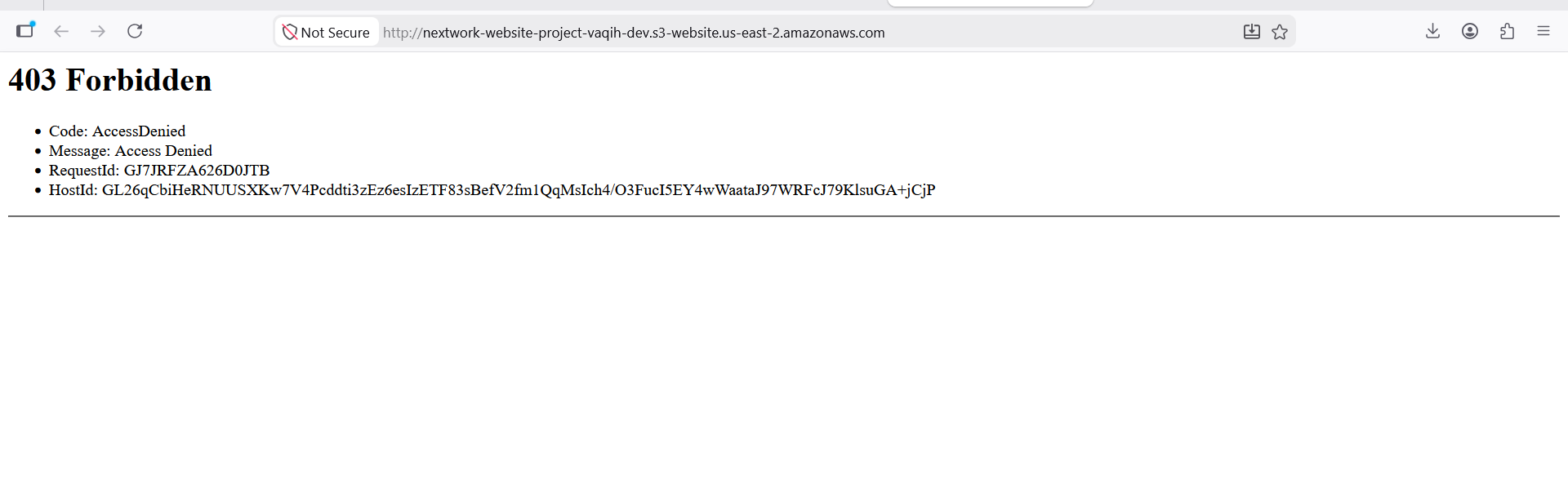
When I first visited the bucket endpoint URL, I saw an error page instead of a website. The reason for this error was that the bucket did not yet contain the required website files, such as an index.html document, or the website permissions had not been fully configured. This helped me understand that Amazon S3 requires both website content and proper access permissions before a static website can be displayed successfully.
Success!
What I did in this step
In this step, I will... because...In this step, I will upload the website files to my Amazon S3 bucket because static website hosting requires content to be stored in the bucket before it can be displayed to users. By uploading files such as index.html, CSS, JavaScript, and images, I can make the website accessible through the bucket website endpoint and gain hands-on experience with cloud-based web hosting.
How I resolved the 403 error
To resolve this 403 Forbidden error, I...To resolve the 403 Forbidden error, I reviewed the Amazon S3 permissions and identified that the bucket did not have a policy allowing public access to the website files. I created and applied a bucket policy that granted public read access to the objects stored in the bucket. After updating the permissions and verifying the static website hosting configuration, the website became accessible through the S3 website endpoint.
Bucket Policies
What I did in this extension
In this project extension I'm about to... I'm doing this so that...In this project extension, I am about to enhance and further customize the static website hosted on Amazon S3. I am doing this so that I can gain additional hands-on experience with cloud hosting, website management, and AWS services while improving the functionality and presentation of the website. This extension helps me deepen my understanding of real-world cloud deployment practices and strengthens my cloud infrastructure portfolio.
Understanding bucket policies
A bucket policy is a resource-based access control mechanism in Amazon S3 that defines who can access a bucket and what actions they are allowed to perform. Bucket policies are written in JSON and can be used to grant or restrict permissions for users, AWS accounts, or the public. The benefit of using bucket policies is that they provide centralized, scalable, and easier-to-manage access control at the bucket level. While ACLs are useful for managing permissions on individual objects, bucket policies are generally preferred because they offer greater flexibility and simplify permission management.
What my bucket policy does
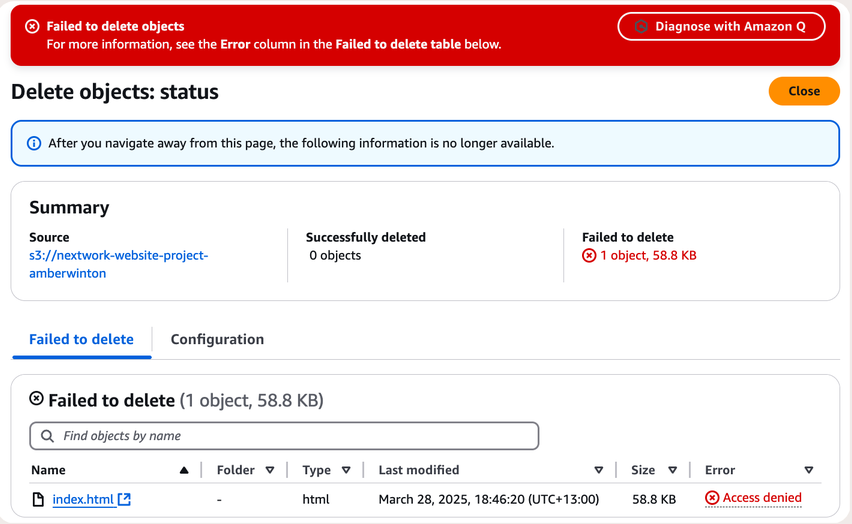
My bucket policy... I tested this by... and saw...My bucket policy controls what actions users are allowed or denied to perform on objects stored in the S3 bucket. In this exercise, the policy was configured to prevent file deletion, even when a user attempted to remove an object. I tested this by trying to delete a file from the bucket and received an "Access Denied" message. This confirmed that the bucket policy was working as intended and enforcing the security restrictions defined in the policy.