AWS Account Setup and Initial Configuration

Set Up An AWS Account
Project Link: View Project
Author: Muchamad Ghufron Vaqih
Email: vaqihghufron3172@gmail.com
Introducing Today's Project!
In this project, I'm going to set up...In this project, I'm going to set up a secure AWS account by creating an account, configuring billing settings, enabling Free Tier alerts, and setting up Multi-Factor Authentication (MFA). This project will help me learn AWS account management, security best practices, and cost monitoring.
Key tools and concepts
The key tools I used include... Key concepts I learnt include...The key tools I used include the AWS Management Console, Billing Preferences, Free Tier Alerts, and MFA. Key concepts I learned include account security, root user management, multi-factor authentication, billing awareness, and monitoring AWS usage.
Challenges and wins
This project took me approximately... The most challenging part was...This project took me approximately 1 hour to complete. The most challenging part was configuring MFA and understanding AWS billing and Free Tier alerts. The project helped me learn AWS account setup and security fundamentals.
Creating My AWS Account
In this step, I'm going to...In this step, I'm going to review the project objectives and understand the tasks required to create and secure an AWS account. I will learn about billing setup, Free Tier monitoring, and security best practices such as enabling MFA.
Understanding the root user
I learned that a root user is...I learned that a root user is the administrator account with complete control over a Linux system. A strong password is important because it protects the system from unauthorized access and helps keep data and resources secure.
Setting Up Billing and Payment
In this step, I'm going to...In this step, I'm going to select the Free plan, enter my contact information, and add a payment method. This will complete the billing setup process and prepare my account for future use of AWS services.
Why AWS requires a payment method
I learned that AWS requires a payment method because...I learned that AWS requires a payment method for the Free Tier to verify a user's identity and prevent abuse of its services. AWS will not charge for resources that stay within the Free Tier limits, but a payment method is needed in case usage exceeds those limits or paid services are used.
Completing Account Activation
In this step, I'm going to...In this step, I'm going to confirm my identity and choose a support plan so my AWS account can be activated and used.
Identity verification and support plan
I verified my identity by... The Basic support plan includes...I verified my identity by completing the AWS account verification process, which included confirming my contact information and payment method. The AWS Basic Support plan includes access to AWS documentation, knowledge center articles, community forums, account and billing support, and basic AWS Trusted Advisor checks.
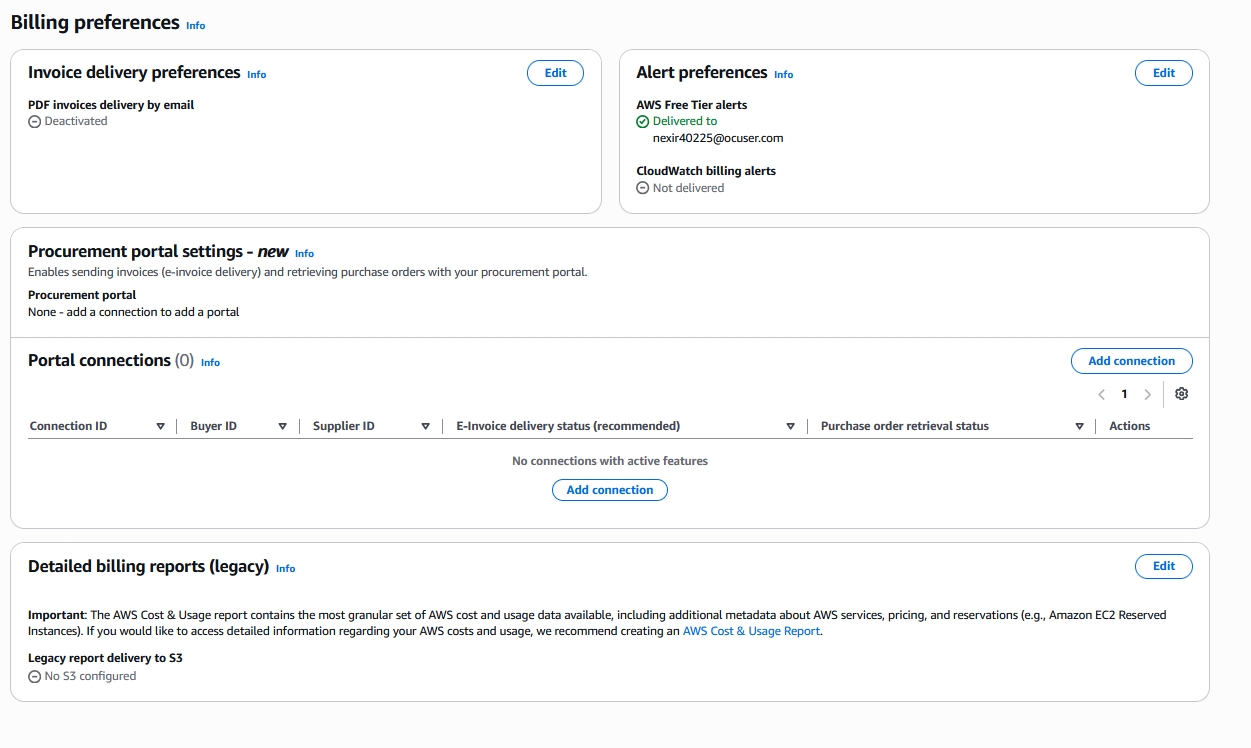
Enabling Free Tier Alerts
In this step, I'm going to...In this step, I'm going to log in to the AWS Console, open Billing Preferences, and enable Free Tier usage alerts. These alerts will help me monitor my AWS usage and notify me before I exceed the Free Tier limits and incur charges.
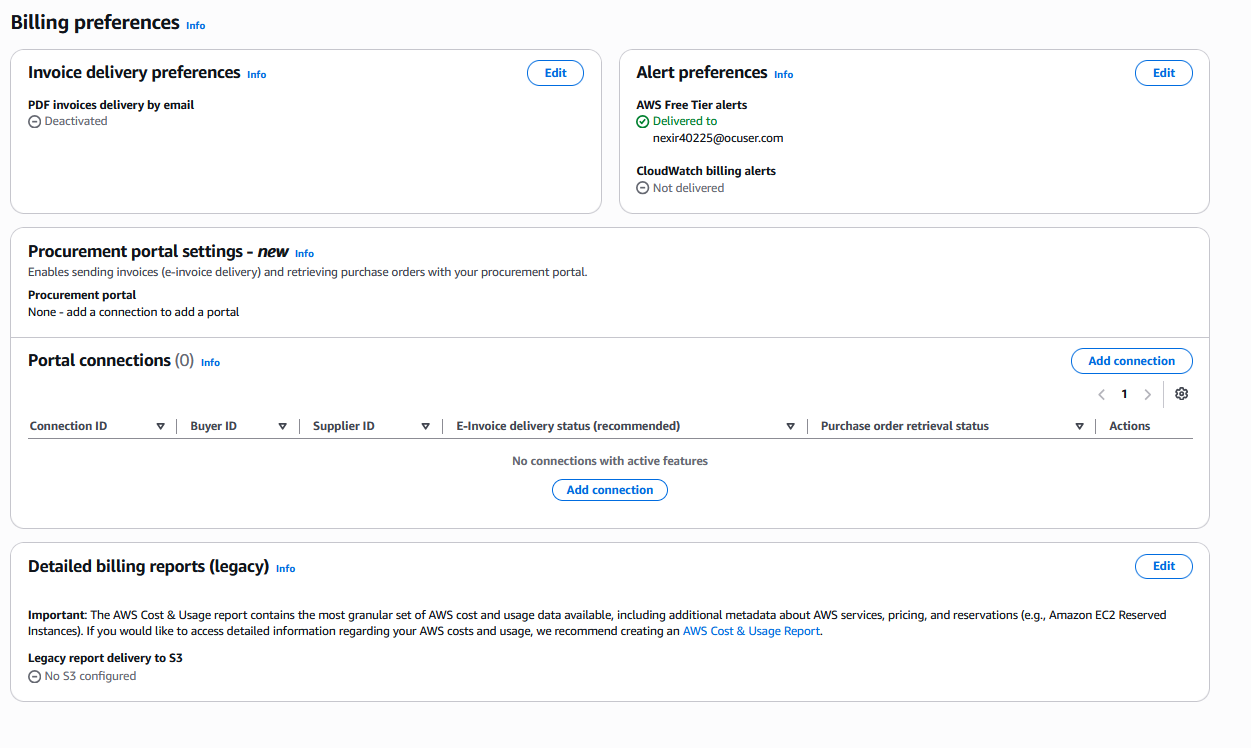
Why usage alerts matter
I set up usage alerts because...I set up usage alerts because they help me monitor my AWS usage and receive notifications before I reach Free Tier limits. This helps prevent unexpected charges and allows me to manage my AWS resources more effectively.
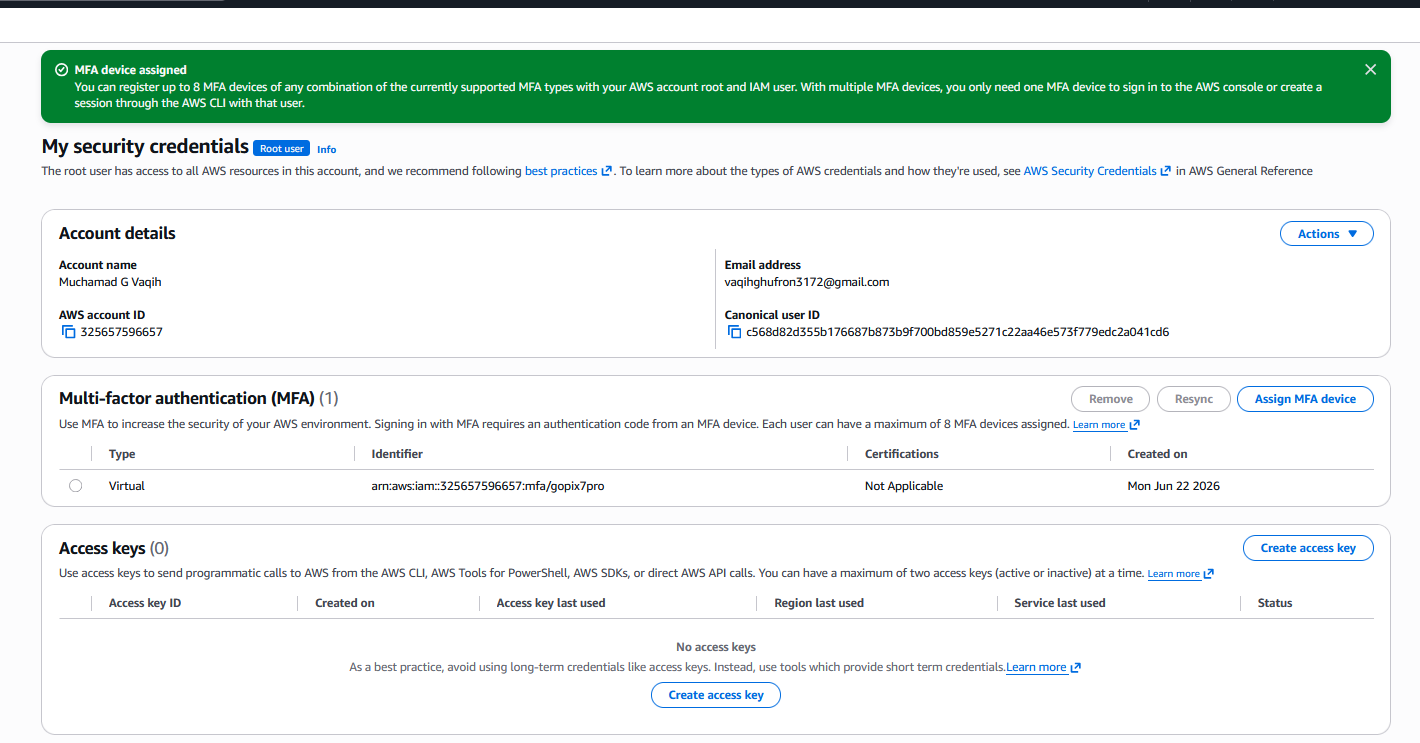
Securing the Account with MFA
To enable MFA, I... The authenticator app works by...To enable MFA, I registered a virtual MFA device with an authenticator app. The app generates a temporary verification code that changes regularly, and I must enter this code along with my password when logging in, making my account more secure.